
Free to use
For pilots
Plan the flight and check the day in one app.
VectorEFB runs in the browser on your phone, tablet or laptop. Live traffic, airspace and weather share one map, and the route you draw becomes a nav log, a terrain profile and a briefing pack you can print.
Free, with no card and no advertising. A training and situational awareness aid, not certified for navigation.
What it does
From the first look at the weather to the printed briefing pack
This is what is in the app now. Free public data feeds it, and each layer says where it comes from and how old it is.
01 Map
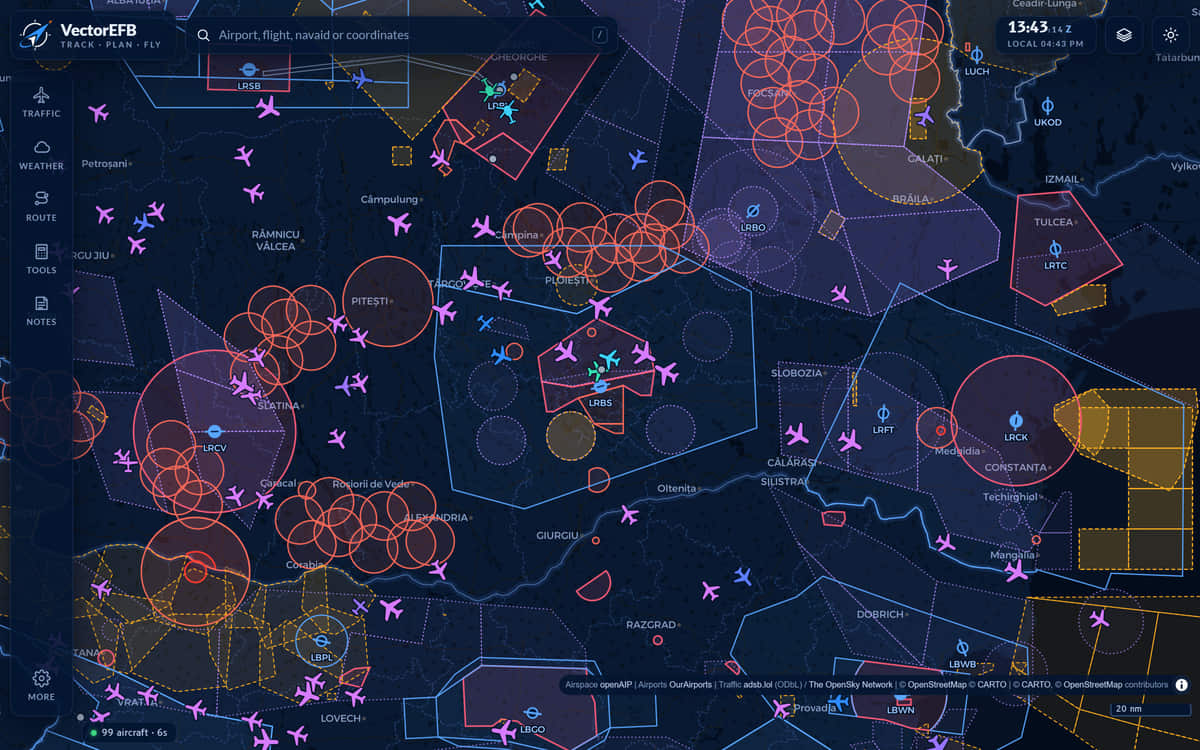
See what is around the airfield
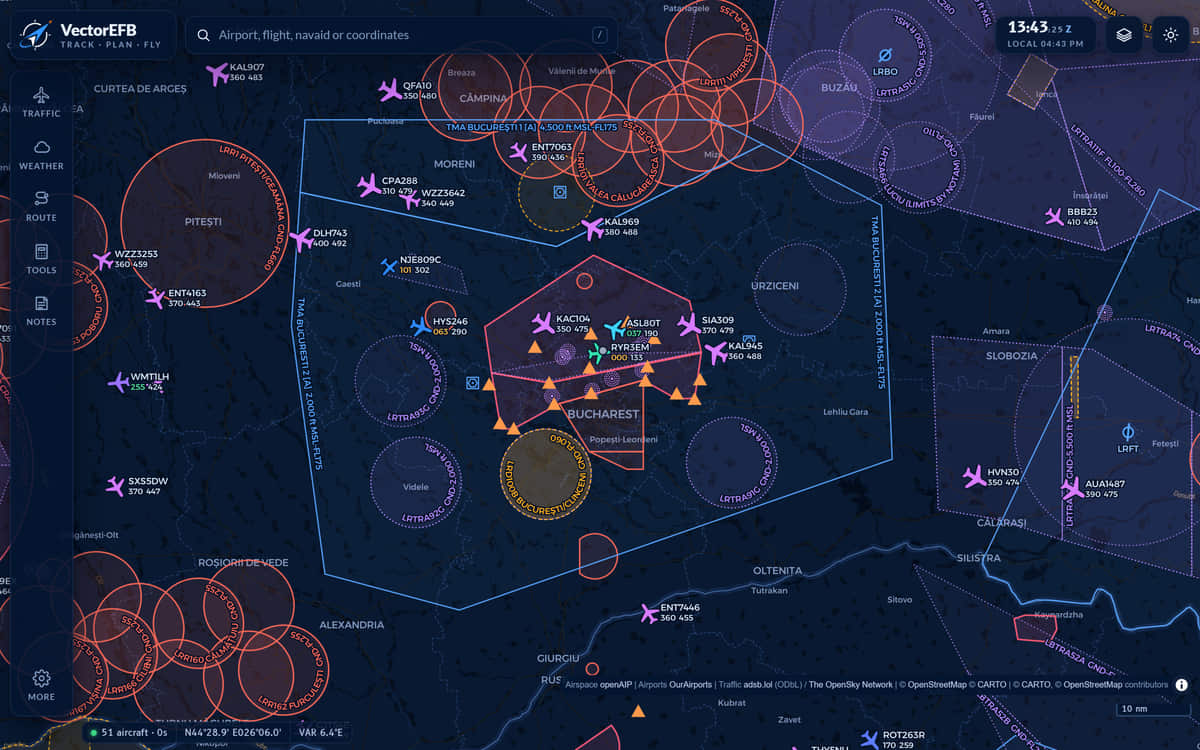
Live ADS-B traffic is drawn over airspace with its vertical limits, reporting points and navaids. The status bar shows how many aircraft are in view and how many seconds old the data is.
- Datablocks: callsign, flight level, groundspeed
- Emergency squawks 7500, 7600 and 7700 are alerted
Aircraft that do not broadcast a position never appear. An empty map is not an empty sky.
02 Weather
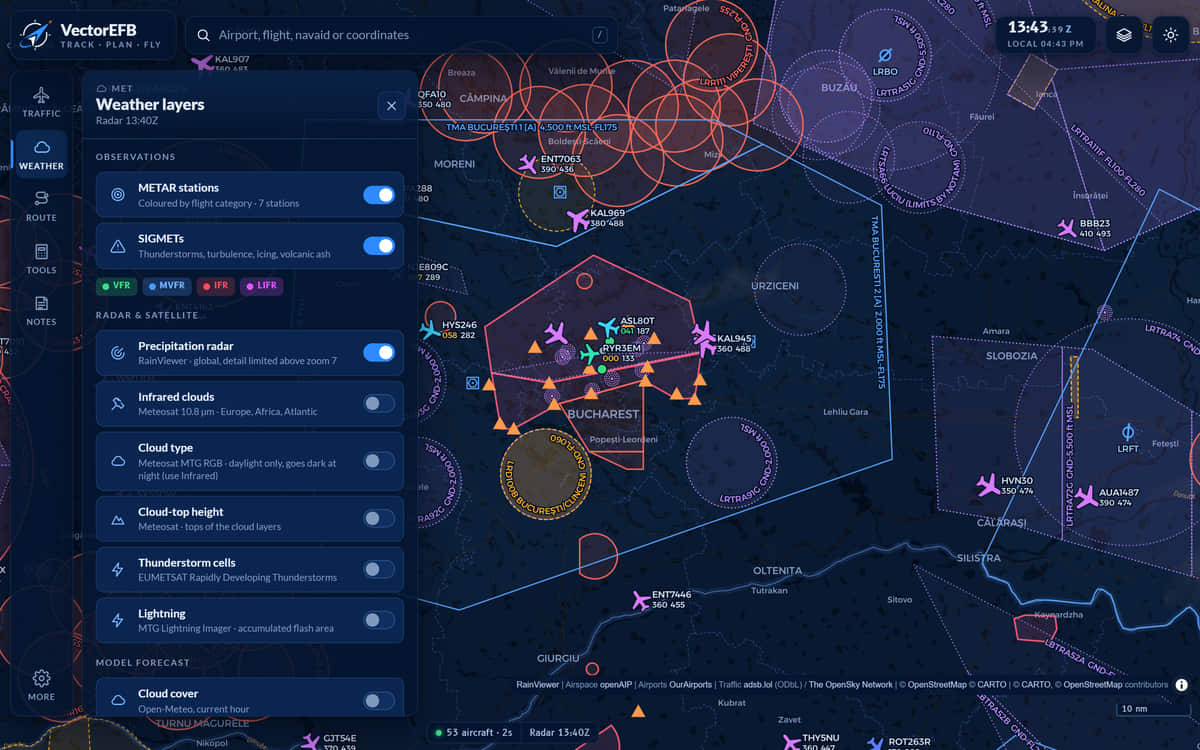
Weather on the map, with its age
Airports are coloured by flight category. SIGMETs, precipitation radar, Meteosat infrared, cloud type and top height, storm cells and lightning share the same map, with forecast winds aloft, cloud cover and CAPE (convective energy) from a model. Each layer has its own update cycle, so use imagery for the big picture.
- 11 weather layers
- VFR, MVFR, IFR and LIFR shown by colour
03 Airport briefing
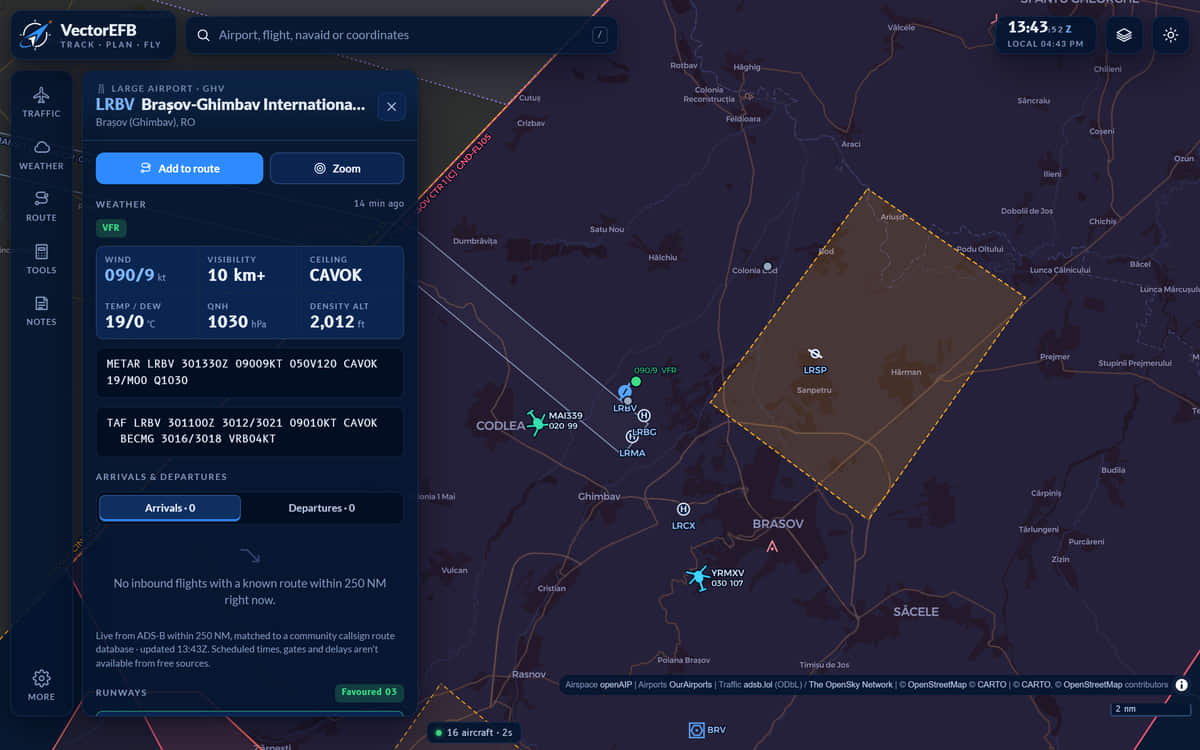
METAR and TAF, decoded, with the time
Open any airport for its latest METAR and TAF next to the raw text, each with its observation time. Runway headwind and crosswind, density altitude, sunrise and sunset and frequencies are on the same page. If an airport publishes no METAR, the app says that, and says something different when the weather service cannot be reached.
04 Route and nav log
A nav log you can fly from
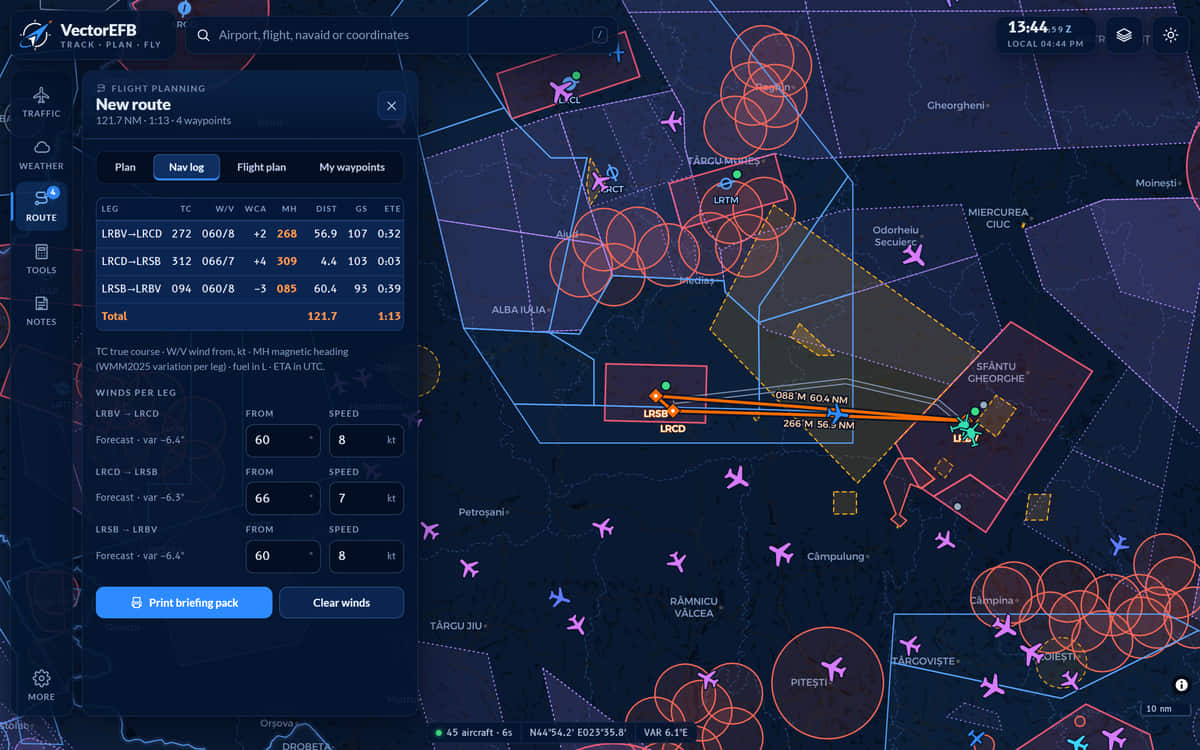
Tap the map to add waypoints, or search airports, navaids and reporting points. Fetch forecast winds for each leg and the nav log fills in true course, wind correction, magnetic heading, distance, groundspeed, time, ETA and fuel, with the fuel remaining at the end of each leg.
- Magnetic variation from WMM2025
- Print it, export GPX, or build an ICAO flight plan message to copy into your filing system. VectorEFB does not file it.
05 Terrain
The ground under the route
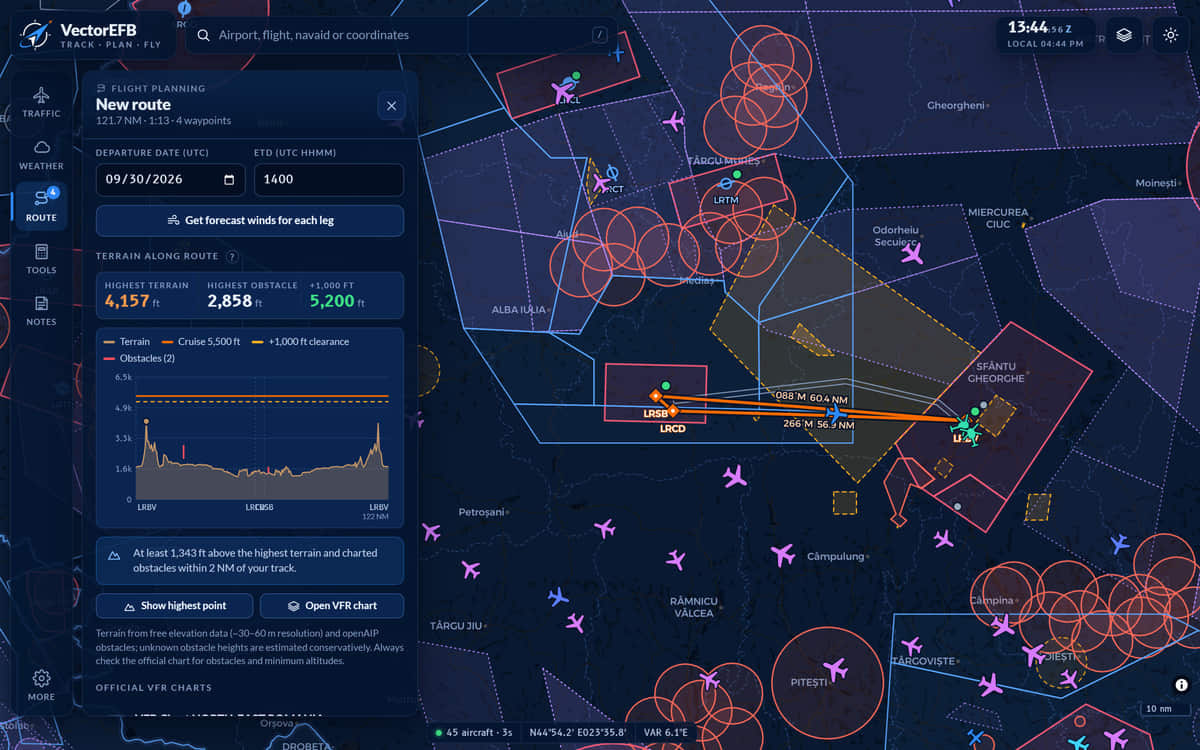
A side view draws the terrain and obstacles within 2 NM of track against your cruise altitude, and warns when you would have less than 1,000 ft above the highest. On the VFR chart, grid figures give the highest terrain or obstacle in each square with a margin added.
Built from public elevation models and obstacle data. It is a check, not a clearance.
06 Before you leave
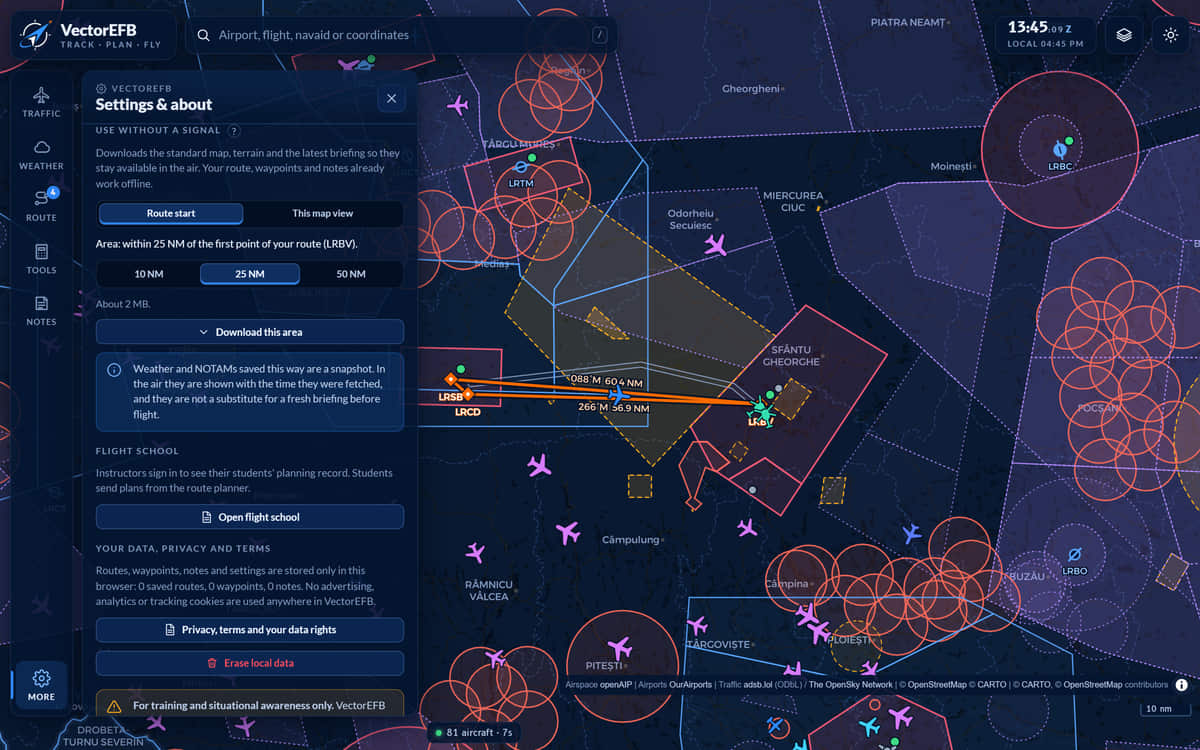
Download the area before you leave
Download the area around your airfield (10, 25 or 50 NM) before the flight. The downloaded map and terrain, your route and nav log, the calculators and the notepad then work with no signal. Live traffic and fresh weather do not. Weather saved this way is a snapshot, shown with the time it was fetched.
Why choose it
Why pilots choose VectorEFB
Everything in one place
The map, weather, nav log, terrain check, calculators and notes sit in the same app, so planning one flight does not mean switching between several.
Sources shown, with their age
Every weather report shows when it was observed. Weather saved for offline use is labelled with the time it was fetched, and the app says so when a weather source cannot be reached.
The limits are written down
Aircraft without ADS-B Out never appear. Weather is as old as its timestamp. Terrain is a model, not a survey. They are stated in the app and on this site, so you know when to look elsewhere.
Works without a signal
Download the area around your airfield before you leave and the map, terrain, route, nav log, calculators and notepad keep working. Live traffic and fresh weather do not.
Nothing to install
It runs in the browser on iPhone, iPad, Android and desktop. Add it to the Home Screen and it opens full screen like any other app.
Free, with no advertising
Free of charge today. If we ever add paid plans you will see the price before you agree to anything, and free features get 30 days’ notice before they end. No advertising, analytics or tracking cookies.
- 22,297
- airports and airstrips
- 11,008
- navaids
- 38
- countries of airspace data
- 11
- weather layers
- 12
- calculators
- 5
- kneeboard note templates
Airports and navaids from OurAirports, built 14 September 2026. Airspace from openAIP. Counts taken from the product, not estimated.
- Calculators
- Holding pattern entry drawn on the map, wind triangle, crosswind, density altitude, true airspeed, fuel, descent, weight and balance with the CG envelope, runway performance, checklists, unit converter, daylight and civil twilight.
- Notes
- Kneeboard templates for ATIS, CRAFT clearance, position report, departure brief and PIREP, each with a UTC stamp.
- My waypoints
- Long-press the map to save a point. Searchable, addable to a route, exportable as GPX.
- Synthetic vision
- A 3D view forward from any tracked aircraft, over real terrain. Pitch and bank are estimated from climb and turn rate, because ADS-B does not transmit attitude.
- Flight recording
- With an account, the flight is recorded from the phone or tablet’s own GPS and kept in your account. Recording starts only when you press Start recording.
Recording is new. It has been tested in the lab but not yet on a real flight, so keep your usual logbook alongside it while it is proven.

Private pre-launch
Request access
A free account keeps your routes, waypoints and aircraft with you on every device, and keeps the flights you record.
- Free. No card, no advertising.Free of charge today. If we ever add paid plans you will see the price before you agree to anything, and free features get 30 days’ notice before they end.
- Saved routes, waypoints and aircraft follow you between devices
- Flights you record are kept in your accountRecording is new. Keep your usual logbook alongside it.
- Download or delete your data from Settings, whenever you like
- No ads
- No tracking cookies
- 16 and over
Request access
It takes about a minute. We approve each person by hand.
Thank you
We have your request. VectorEFB is in private pre-launch and we approve each person by hand. We will email when you are in, with a link to choose your password.
Already approved? Sign in
Nothing is created until we approve your request. When we do, you are placed in a school that VectorEFB runs or one you belong to, and we can see what is stored in your account, to run the service and to help you, and for nothing else. Details are in the privacy notice.
Already have an account? Sign in
For training and situational awareness only. Not certified for navigation. Always use official charts, the AIP, NOTAMs and a proper weather briefing for real flights.
Screens on this page show demonstration data. Data sources and known limits.